以前的论文笔记都是在 obsidian 里直接开新的页面记录
于是在网上找到了 Zotero + obsidian 的解决方案
Zotero 安装 Better Bibtex 插件
Obsidian 安装 Zotero Integration 插件
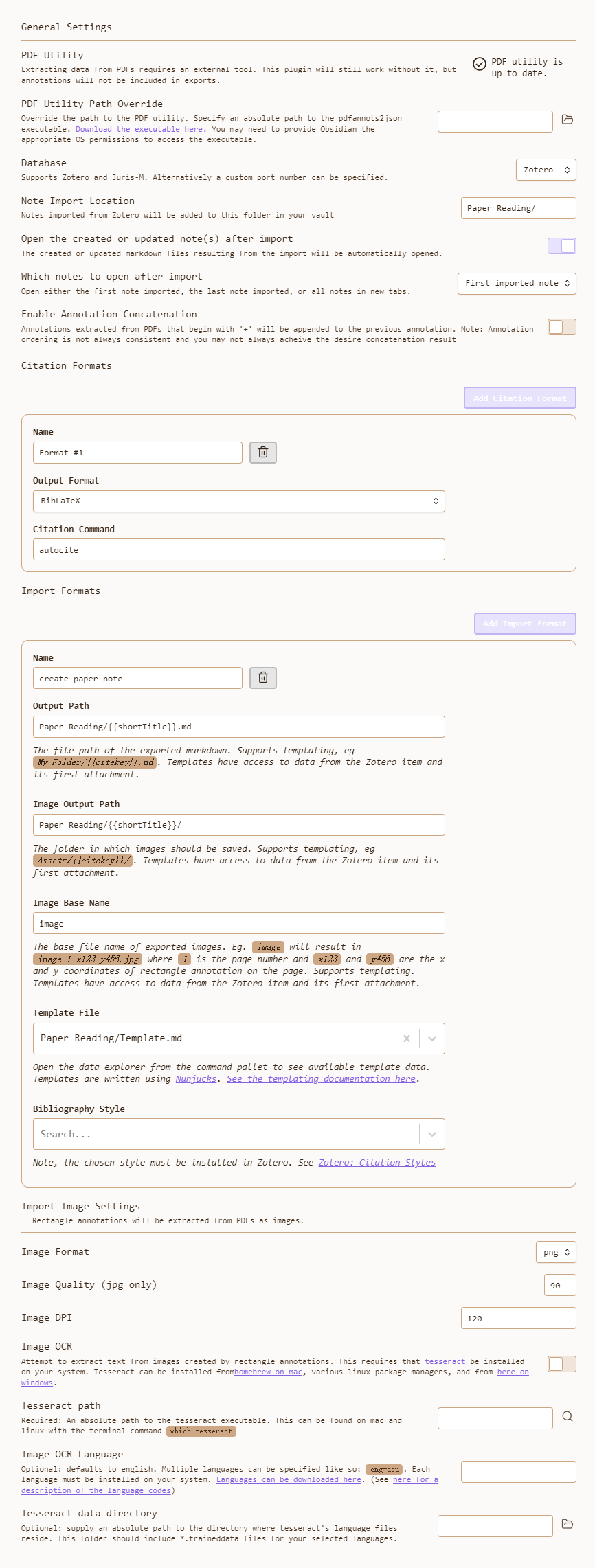
Template 如下
---
cssclass: paper-note
{% if title %}title: "{{title}}"{% endif %}{% if shortTitle %}
shortTitle: "{{shortTitle}}"{% endif %}
type: "{{itemType}}"{% for type, creators in creators | groupby ("creatorType") -%}{% if loop. first %}
{% endif %}{{type | replace("interviewee", "author") | replace("director", "author") | replace("presenter", "author") | replace("podcaster", "author") | replace("programmer", "author") | replace("cartographer", "author") | replace("inventor", "author") | replace("sponsor", "author")  | replace("performer", "author") | replace("artist", "author")}} : "{%- for creator in creators -%}{%- if creator. name %} {{creator.name}} {%- else %} {{creator.lastName}} , {{creator.firstName}} {%- endif %}{% if not loop. last %}; {% endif %}{% endfor %}"{% if not loop. last %}
{% endif %}{%- endfor %}{% if publicationTitle %}
publication: "{{publicationTitle}}"{% endif %}{% if date %}
date: {{date | format("YYYY-MM-DD")}} {% endif %}{% if archive %}
archive: "{{archive}}"{% endif %}{% if archiveLocation %}
archive-location: "{{archiveLocation}}"{% endif %}
citekey: {{citekey}}
conference:
tags: {% for t in tags -%} {{t.tag | lower | replace (" ", "-")}} {%- endfor %}
takeaway:
---
{{bibliography}}
[online]( {{url}} ) [local]( {{desktopURI}} ) {%- for attachment in attachments | filterby ("path", "endswith", ". pdf") %} [pdf](file:// {{attachment.path | replace(" ", "%20")}} ){% if loop. last %} {% endif %}{%- endfor %}

%image%
注意
然后通过 Dataview 来创建一个 paper summary 界面
```dataview
table title, author, date, archive, conference, tags, takeaway, citekey
from "Papers/Notes"
sort date desc
```